 GAMING STIFF PC GAMES, MODS, FIXES & MORE

If you want to install Realism Beyond 3.0 in GTA 5 in 2025, the first and most important step is setting up the basic mods. These files make your game stable, prevent crashes, and ensure that heavy graphics mods like Realism Beyond run smoothly. Without these essentials, GTA 5 will crash on startup, give ScriptHook errors, show missing textures, or freeze during loading.
This guide will help you properly prepare your GTA 5 for Realism Beyond 3.0 by installing all the basic mods required in 2025. Once these are installed, your game becomes ready for high-end graphics, photorealistic lighting, ENB presets, reshade packs, and visuals overhaul files.
Why Basic Mods Are Needed Before Installing Realism Beyond 3.0
Realism Beyond 3.0 is a heavyweight graphics mod with massive textures, lighting upgrades, and environmental enhancements. The base GTA 5 installation cannot handle such advanced mods without support files. Basic mods:
- Fix crashes during loading
- Allow external scripts to run
- Prevent “corrupt game data” issues
- Solve memory-related crashes
- Reduce lag and stuttering
- Fix compatibility for 2025 patches
- Allow add-on graphics and lighting files
Once you install all essentials, the graphics mod will run smoothly without breaking your game.
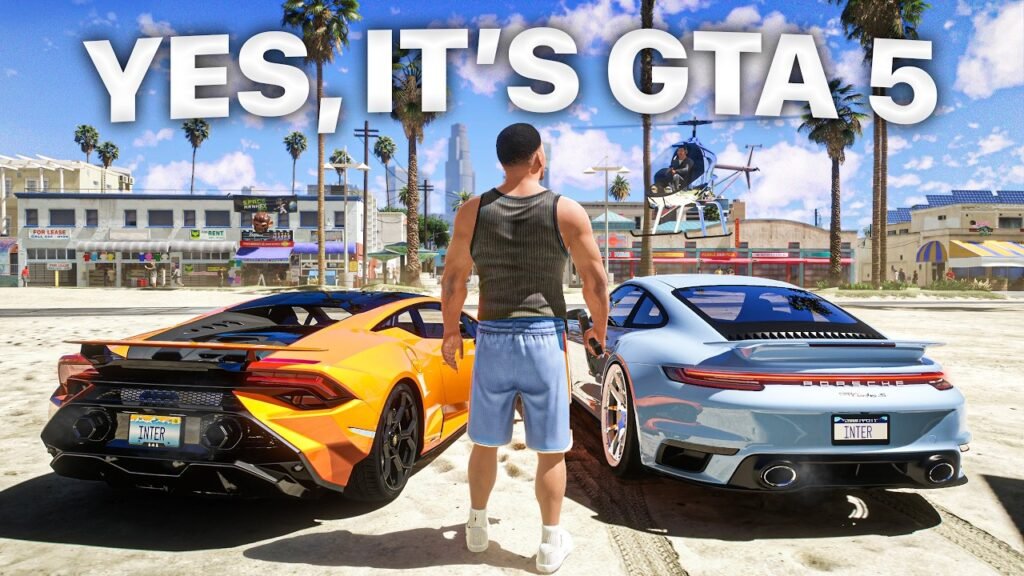
Essential Basic Mods Required
1. Script Support File
This is the primary requirement for Realism Beyond. Without this file, the game will not launch after installing the graphics mod. It allows custom scripts, visual files, and rendering tweaks to run inside GTA 5.
2. .NET Runtime Add-On
Most modern graphics mods depend on this runtime to execute advanced effects, weather enhancements, and lighting adjustments.
3. Game File Modification Tool
This tool allows you to open and edit GTA 5 archives safely. It is required to install graphic textures, timecycle edits, visualsettings, and other Realism Beyond components.
4. Game Configuration Patch
After adding high-quality graphics files, the default game config becomes unstable. This patch increases game limits and prevents crashes during loading or high-traffic areas.
5. Packfile Limit Fix
Realism Beyond 3.0 adds many extra textures and environmental files. This fix increases the game’s packfile handling capacity.
6. Heap Adjustment File
This file improves the game’s memory management and prevents crashes caused by heavy textures or high-resolution lighting.
7. Mod Folder Framework
This keeps your GTA 5 clean and prevents original files from being replaced. Realism Beyond is mostly installed inside the mods folder, so you must set this up first.
How To Install These Basic Mods (Step-by-Step)
- Download your complete Basic Mods Pack – From Here
- Extract the files using WinRAR or 7-Zip.
- Copy all files into your GTA 5 root directory.
- Open the archive modification tool and create a mods folder.
- Copy update.rpf, x64 folders, and necessary archives into the mods folder.
- Install gameconfig, limit fixes, and memory files.
- Launch the game once to confirm everything works.
After this, your GTA 5 is fully ready for the Realism Beyond 3.0 Graphics Mod. Next, you can proceed with installing ENB, reshade, textures, and other graphics components safely.